
Invoice Status Management
Editable Statuses:
- Open: The invoice has been sent to the parent and is currently awaiting payment.
- Past Due: The invoice is overdue for payment and has not been settled by the expected date.
-
Uncollectible: The invoice is marked as uncollectible due to reasons such as non-payment or an inability to collect the funds.
Available Status Changes:
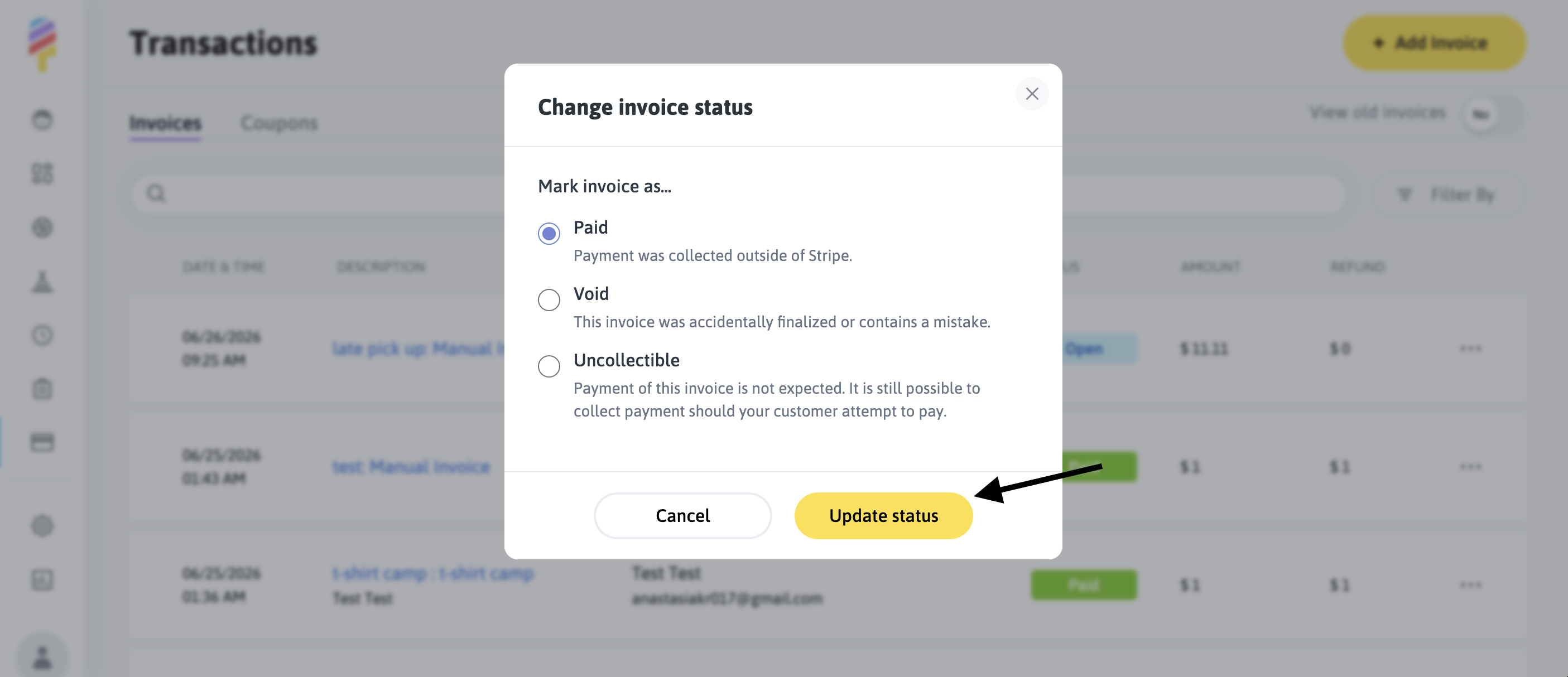
- Paid: Select this option if payment was collected outside of Stripe (for example, via check or cash). Once you mark an invoice as Paid, it indicates that the balance has been handled externally rather than through Stripe.
- Void: Select this option if an invoice was finalized in error or if it contains incorrect information that should not be billed to the customer.
- Uncollectible: Use this when payment is not expected. Note: While invoices marked as “Uncollectible” indicate that payment is no longer anticipated, this status is not permanent. The system remains open to accept payment should the customer later decide to settle the balance.
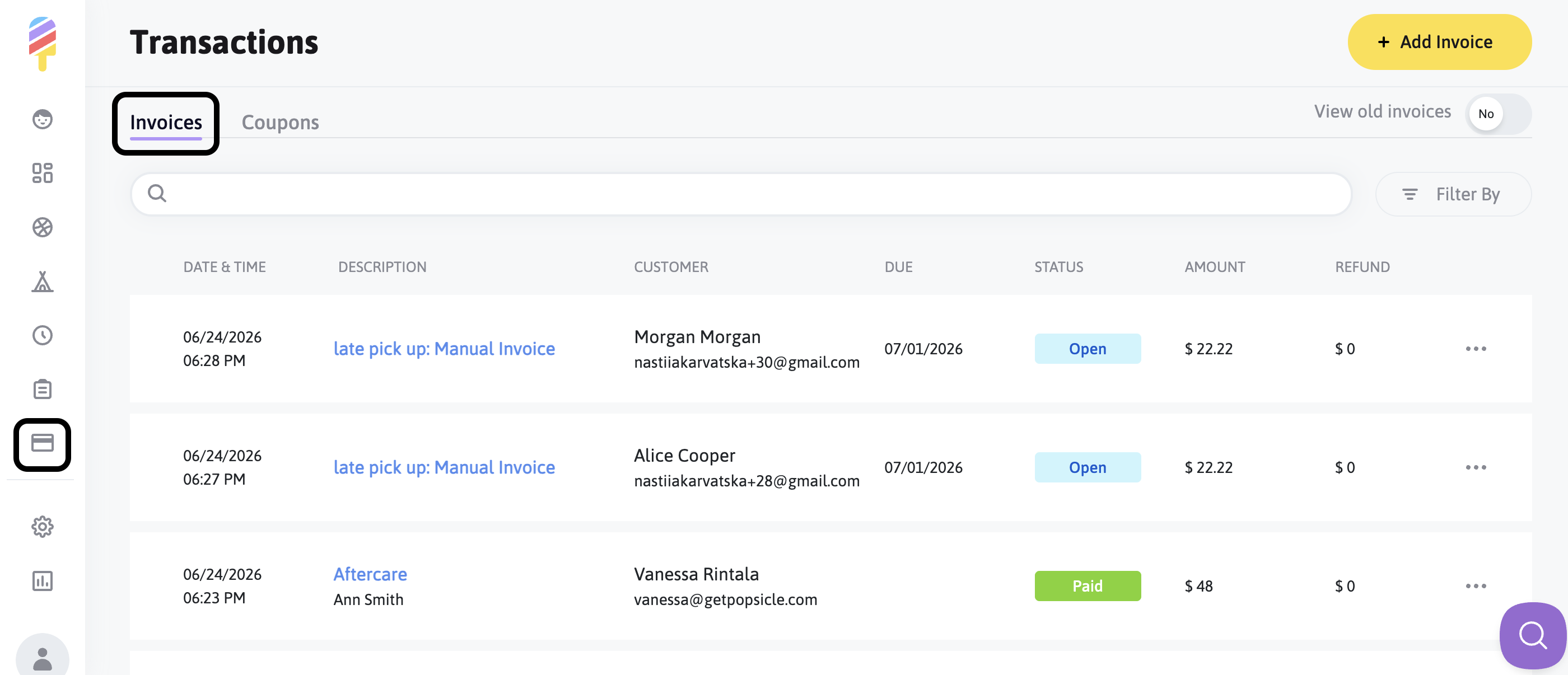
To change the status of an Open, Past Due, or Uncollectible invoice, please navigate to the Transactions section of the account and then click on the Invoices tab:
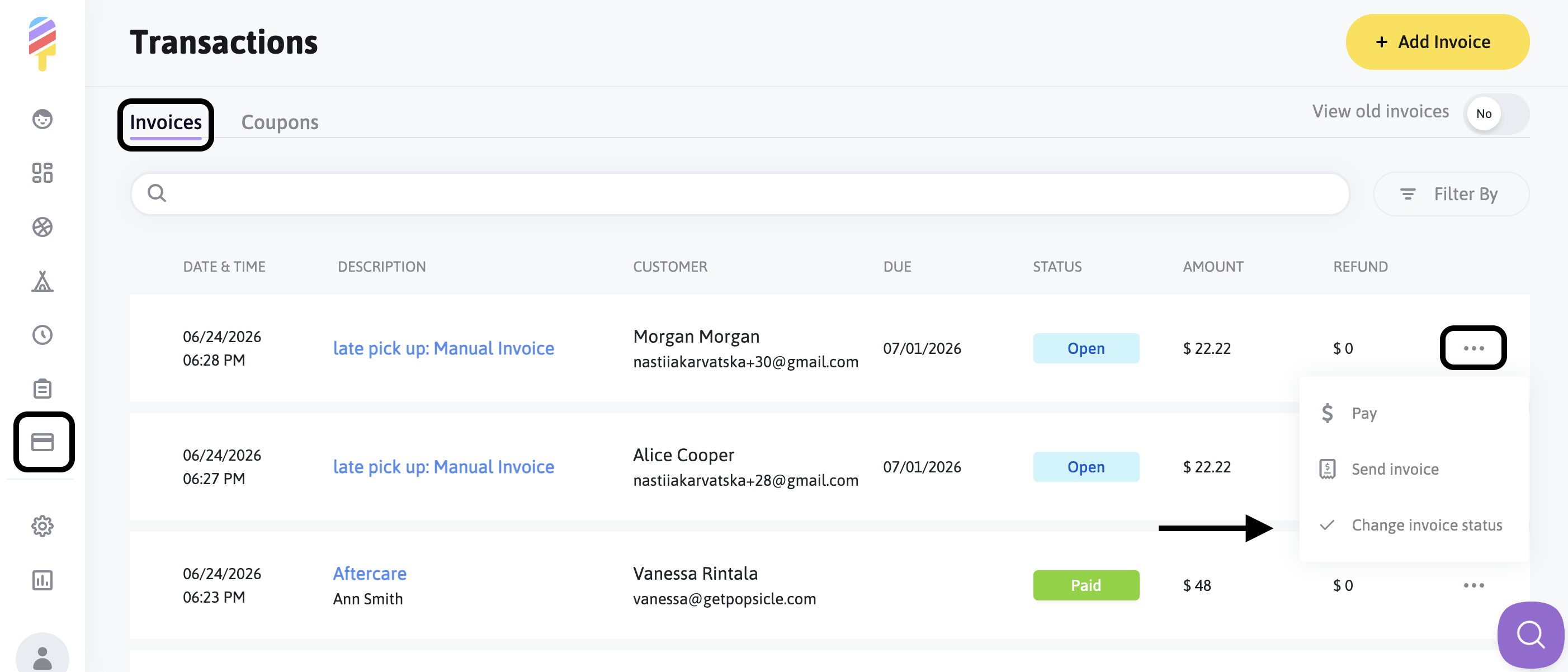
Next, click on the three dots to the right of the invoice in question, and choose the "Change Invoice Status" option:
After that, a modal window will open. From there, select the appropriate status and click "Update Status" to apply your change.
*Note: Invoices marked as "Paid" will display as "Paid Offline" on the Invoice page and are non-refundable.*
Please make sure that status changes are applied with care, because these updates directly affect financial reporting and can change account balances. If you are unsure which status best reflects the situation, it may help to review the invoice details before confirming the update.