School Billing Information
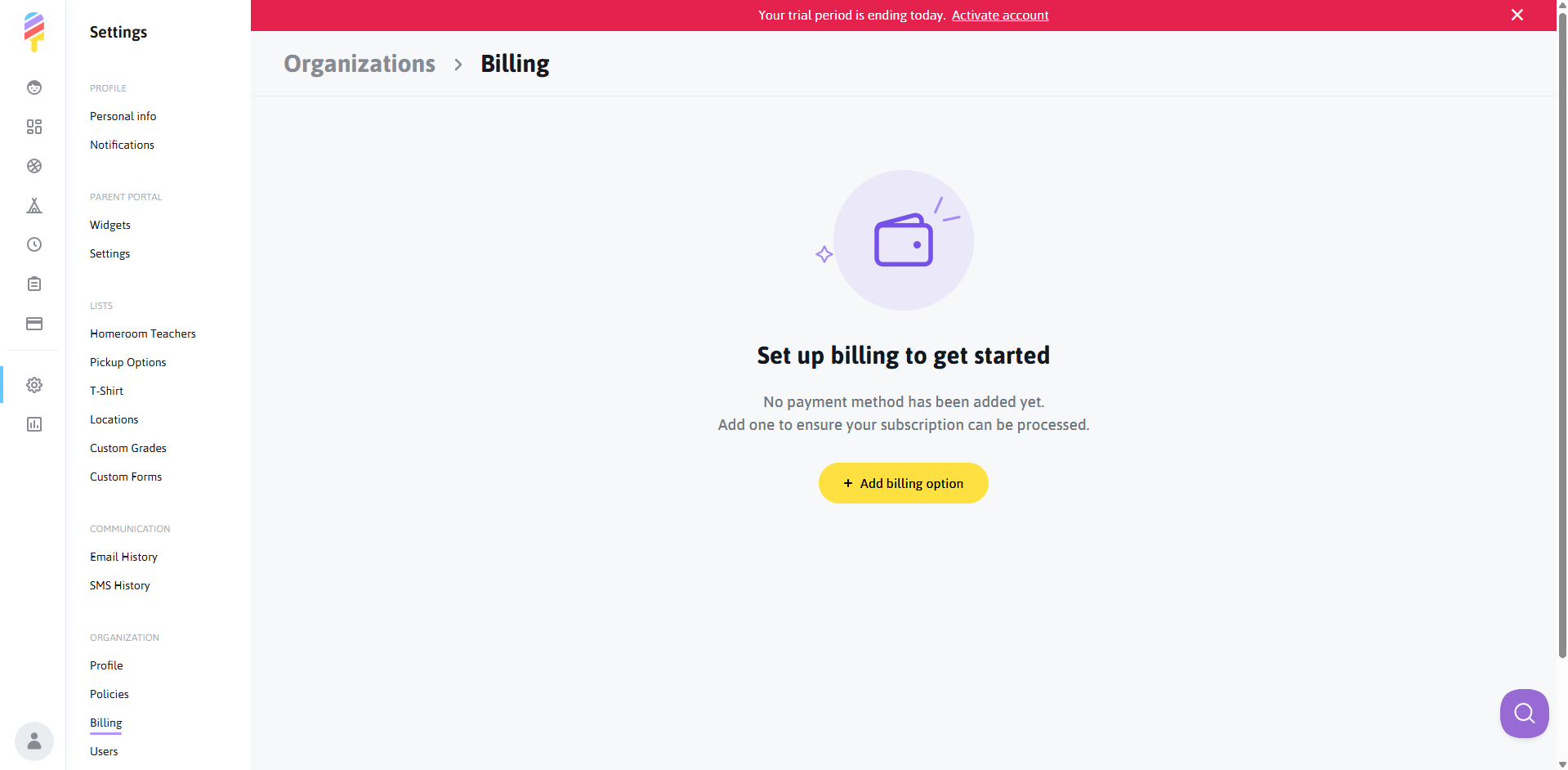
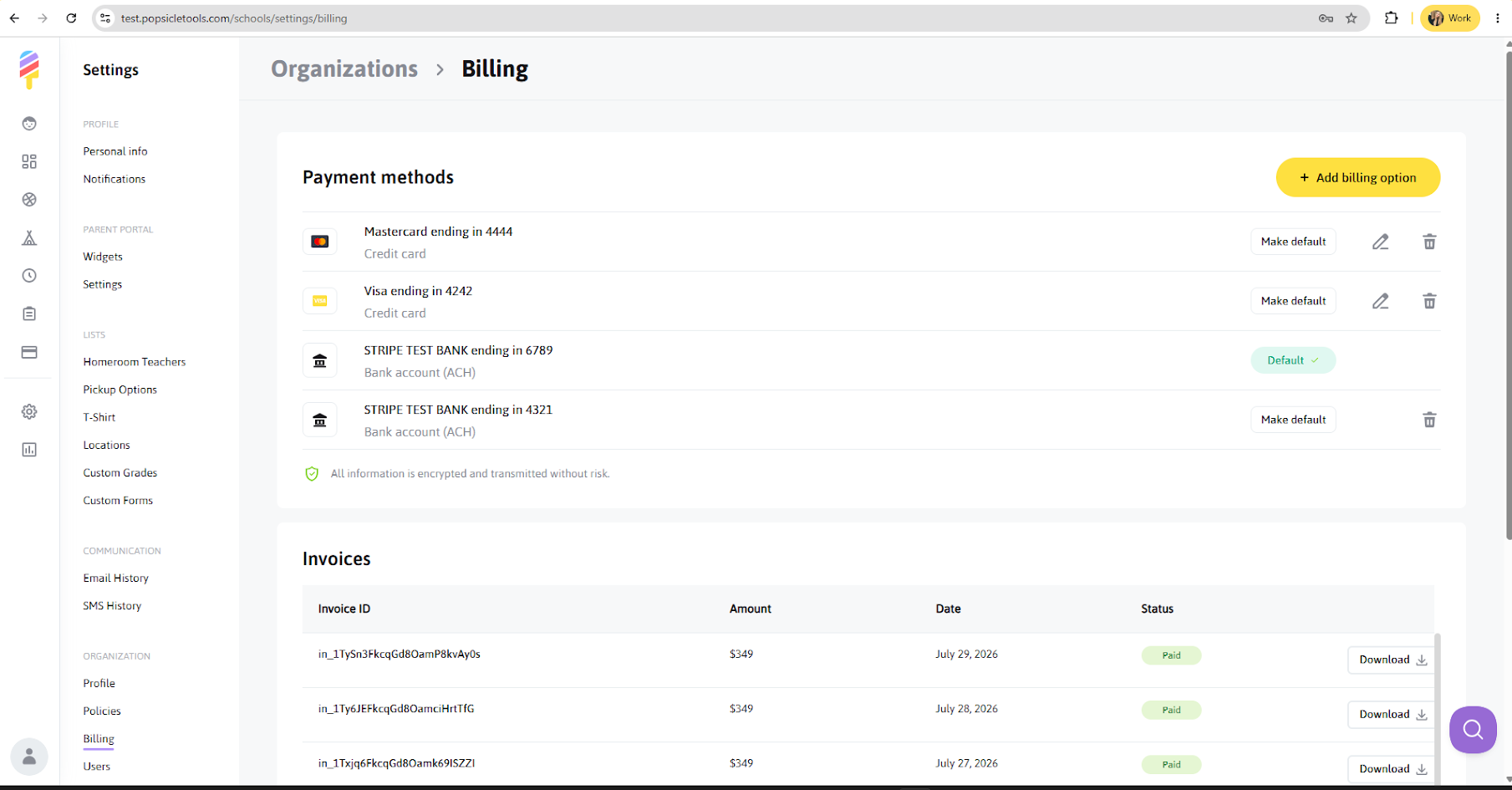
If you need to add, change, or delete the existing billing card on file, you can do so by going into your Settings, and clicking on "Billing" under the "Organization" subheading.
- Click on "Add Billing Option" and choose to "Add a Card" or "Add a Bank Account"
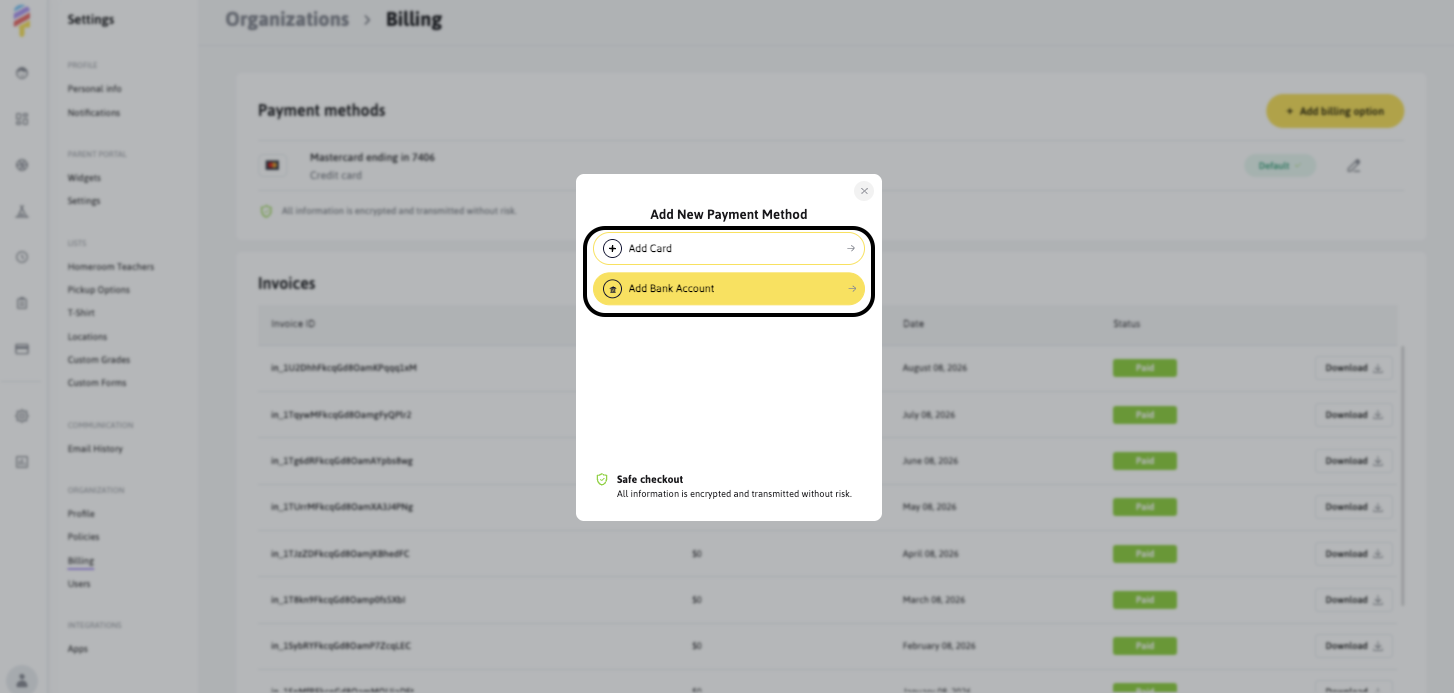
- Add your payment method details and choose whether it will be your default payment method:
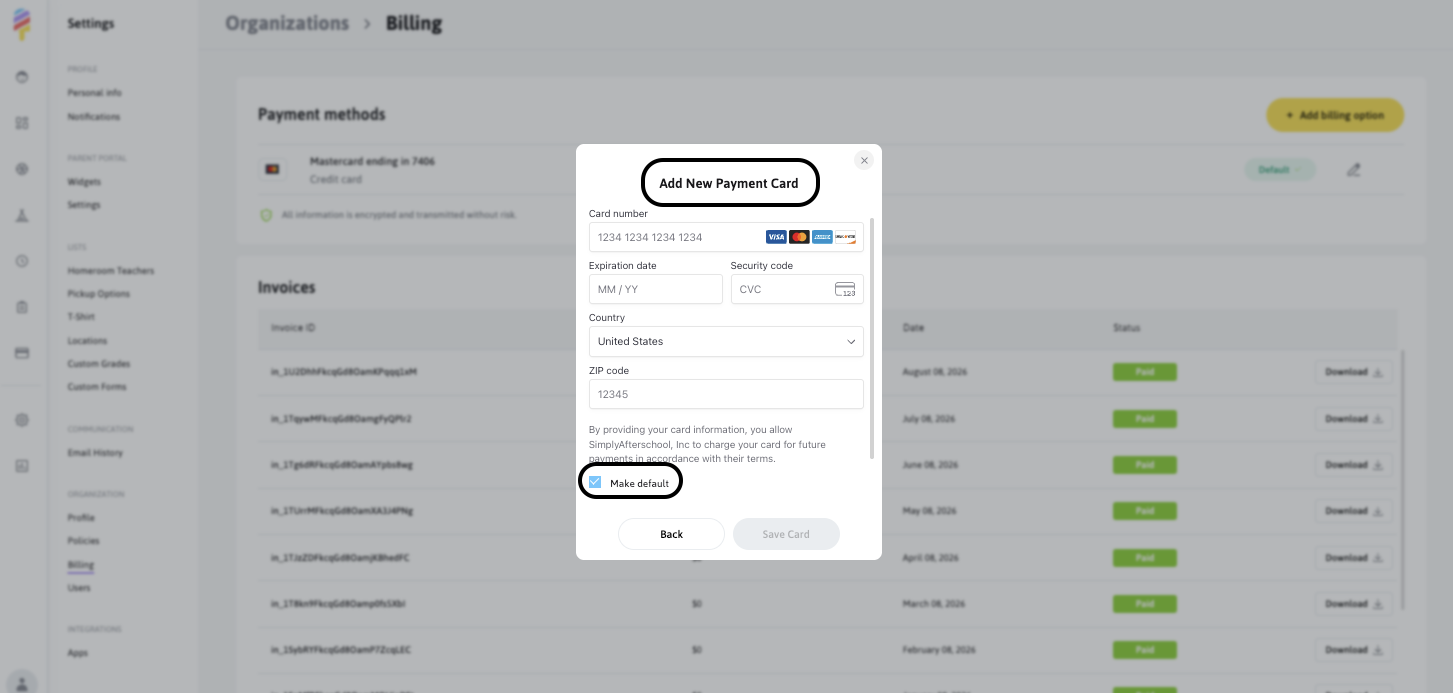
You can add as many payment methods as needed. Once added, all previously saved payment methods will be displayed on the Billing page. However, only one payment method can be set as the default. The default payment method will be used for billing. You can change the default payment method at any time.
You can also delete payment methods, except for the payment method currently set as Default. At least one payment method must always remain on file.
Don't worry! All payment information is securely encrypted and transmitted using secure payment processing.
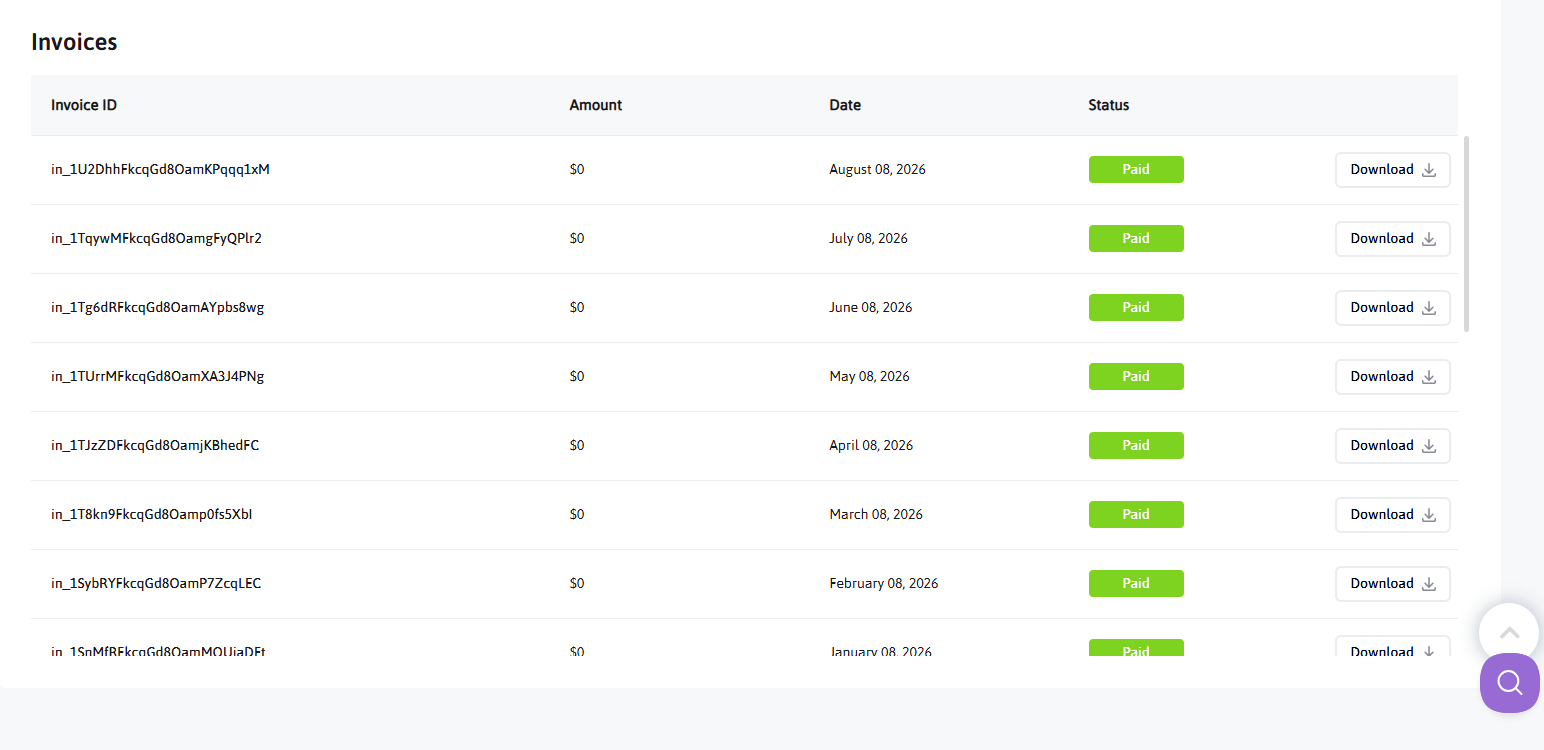
Invoices
You can also view all available invoices on the Billing page. For each invoice, you can view the invoice details and download the invoice for your records.