
Adding T-Shirts
Does your activity require matching outfits?! Adding and managing T-Shirt sizes offered in your Popsicle account is a breeze!
You must make sure that all needed T-Shirt sizes are active in your account Settings.
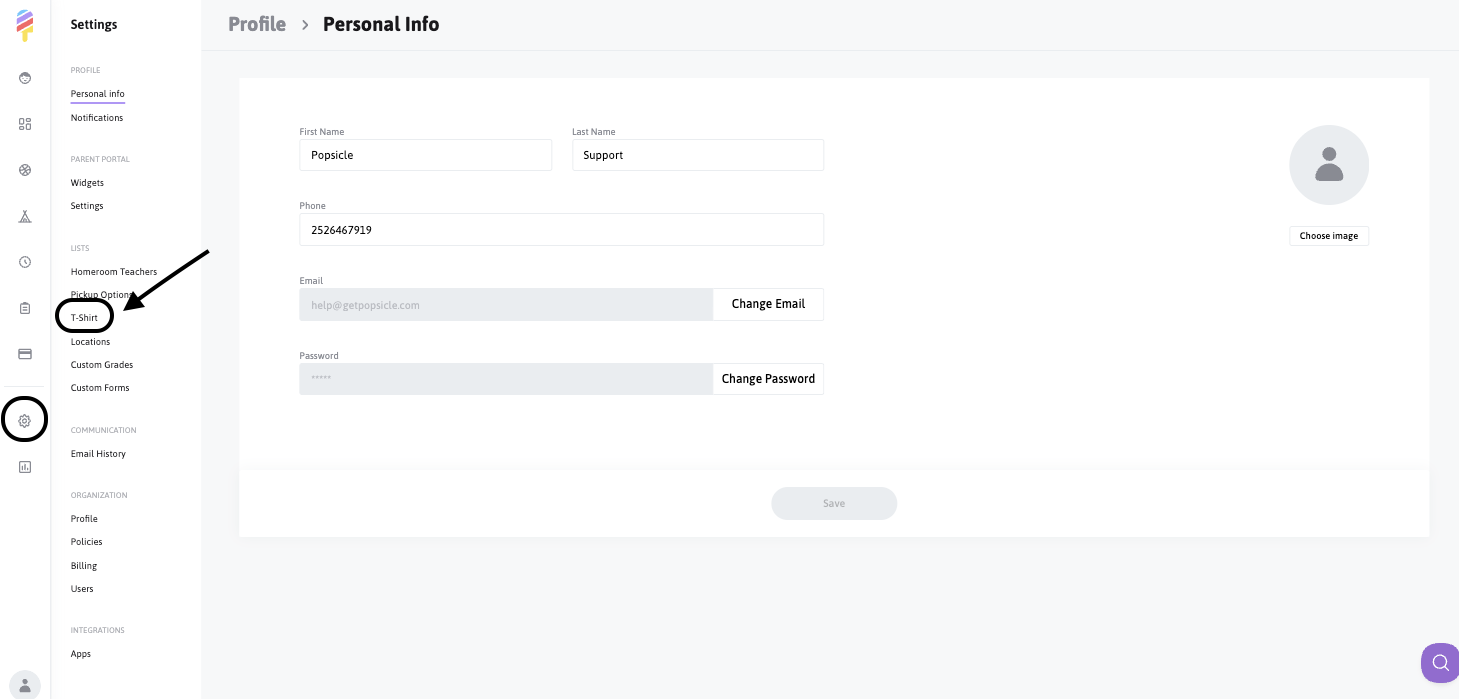
To start, you will go into your account Settings and click on T-Shirt:
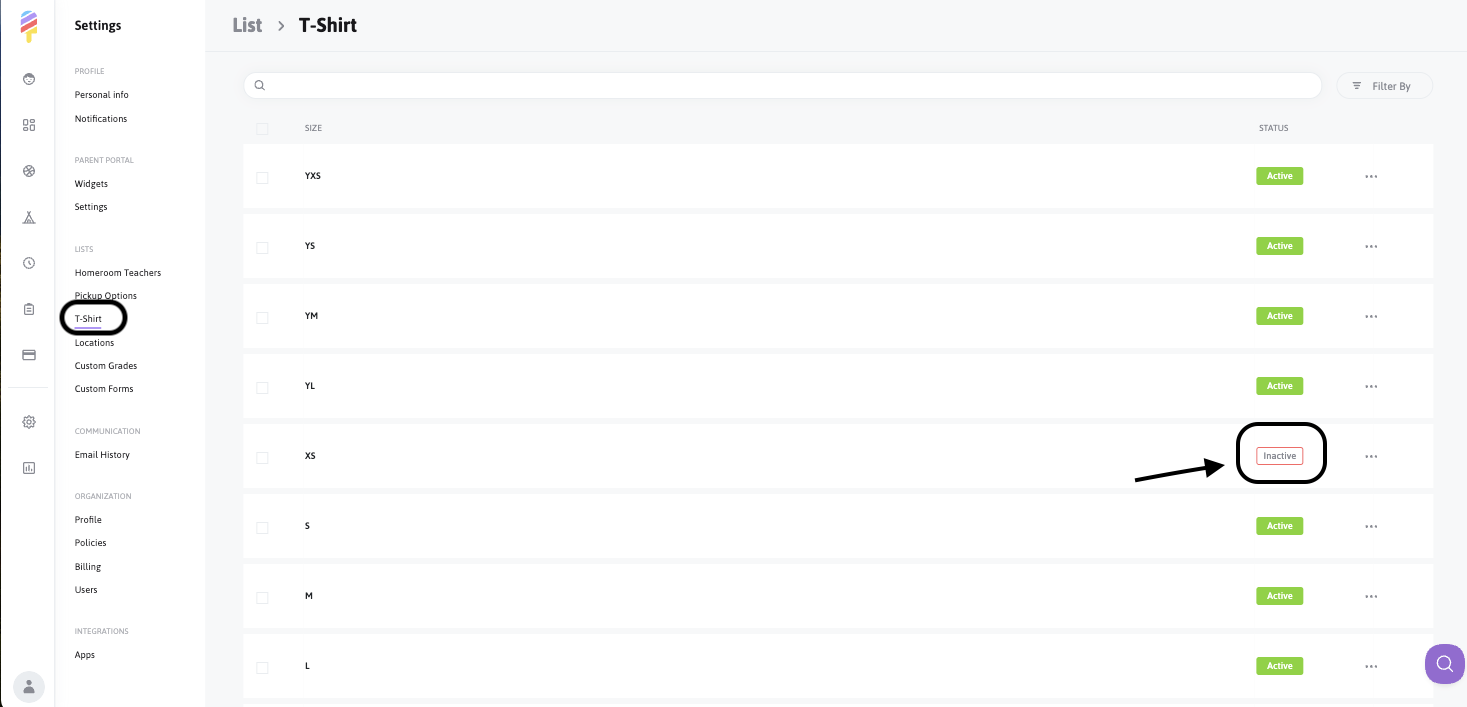
Here, you can view active T-Shirt sizes, merge sizes together, and make sizes active/inactive:
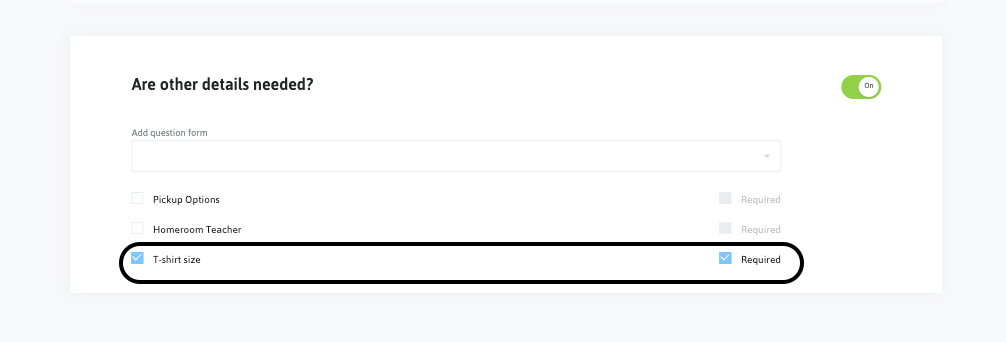
If you require parents to inform you of their child/children's T-Shirt size at registration, you can require it when creating the activity:
To gather information provided by families at registration, simply run a report via the Reports section to generate a file with all of the information.
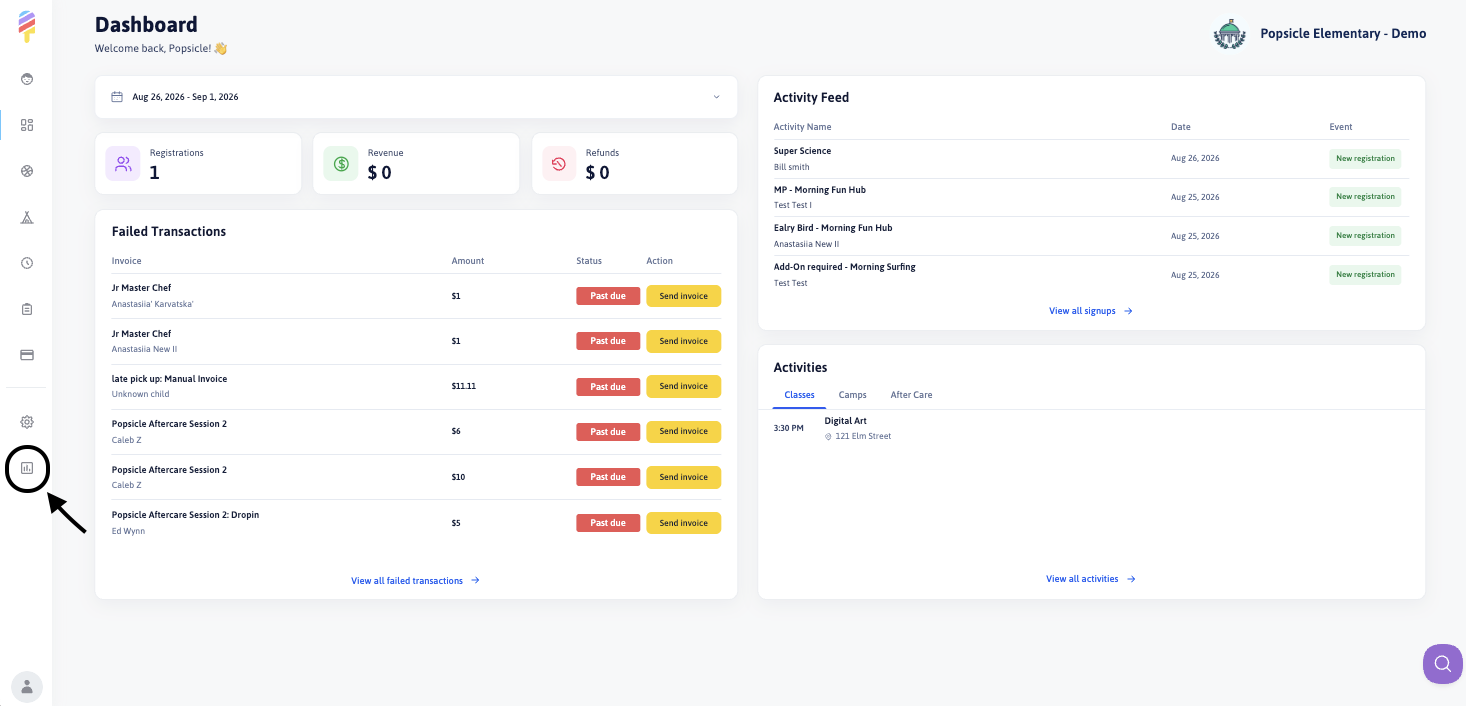
- Click on the Reports section at the left side of your screen:
Choose the T-Shirt report and any other necessary details:
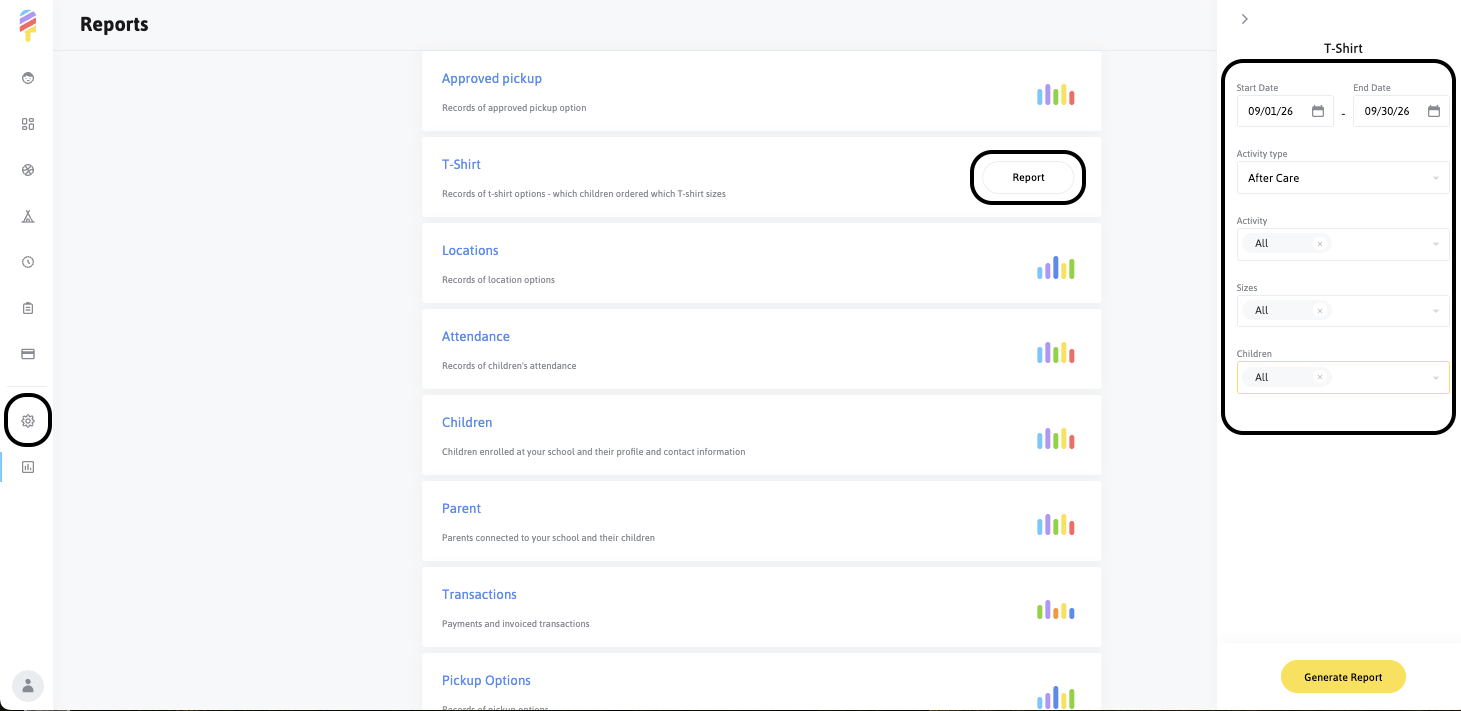
Click on "Generate Report" and you're all set!
Piece of cake! 🍰