
Adding children to the Waitlist roster manually
The Waitlist is one of the rosters where a child can be added. A child can be added to the Waitlist roster in two different ways:
- Via Parent Portal
- Via School Portal
This provides flexibility for both parents and admins to manage enrollments efficiently.
The ability to add a child to the Waitlist roster becomes available only when:
- The Main roster of the activity is full.
- There is at least one available spot in the ‘Waitlist’ roster.
Classes and Camps
Navigate to the ‘Main roster’ of the activity.

Click on the ‘Add Child’ button.
Select the child from the ‘Select Child’ drop-down menu.
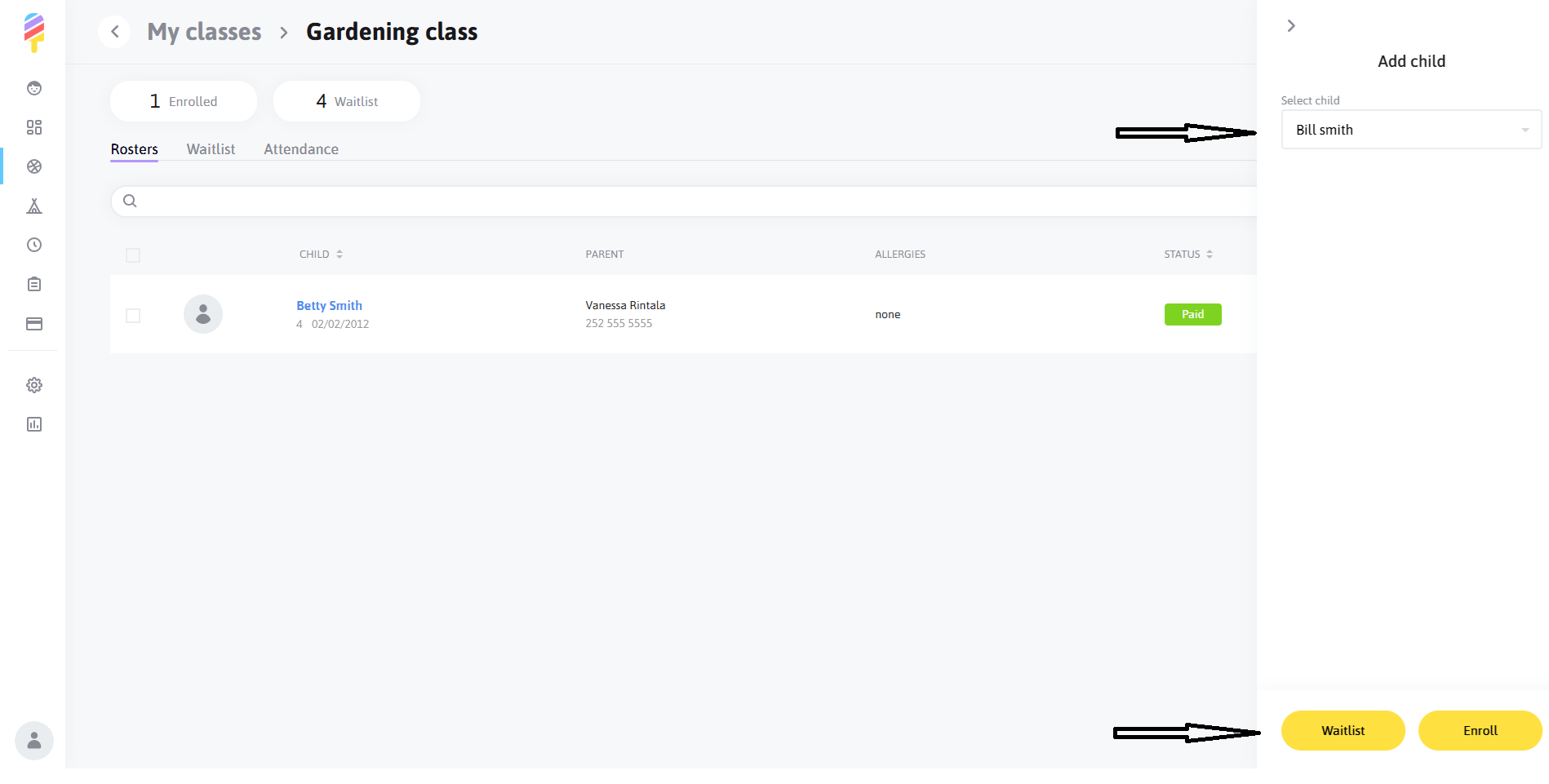
Click the ‘Waitlist’ button on this step.
After successfully adding a child to the Waitlist, the following will occur:
- The child will be added to the ‘Waitlist’ roster with a ‘Wait list’ status.
- An email titled ‘You were added to the waitlist on Popsicle’ will be sent to the parent’s email address.
Aftercare
If an Aftercare activity is full and the waitlist is enabled, admins are able to manually add children to the waitlist. Simply click on the three dots to the right of the activity and select "Add to Waitlist".

Select the child from the ‘Select Child’ drop-down menu.
Select desired days and click the ‘Add to Waitlist’ button on this step.
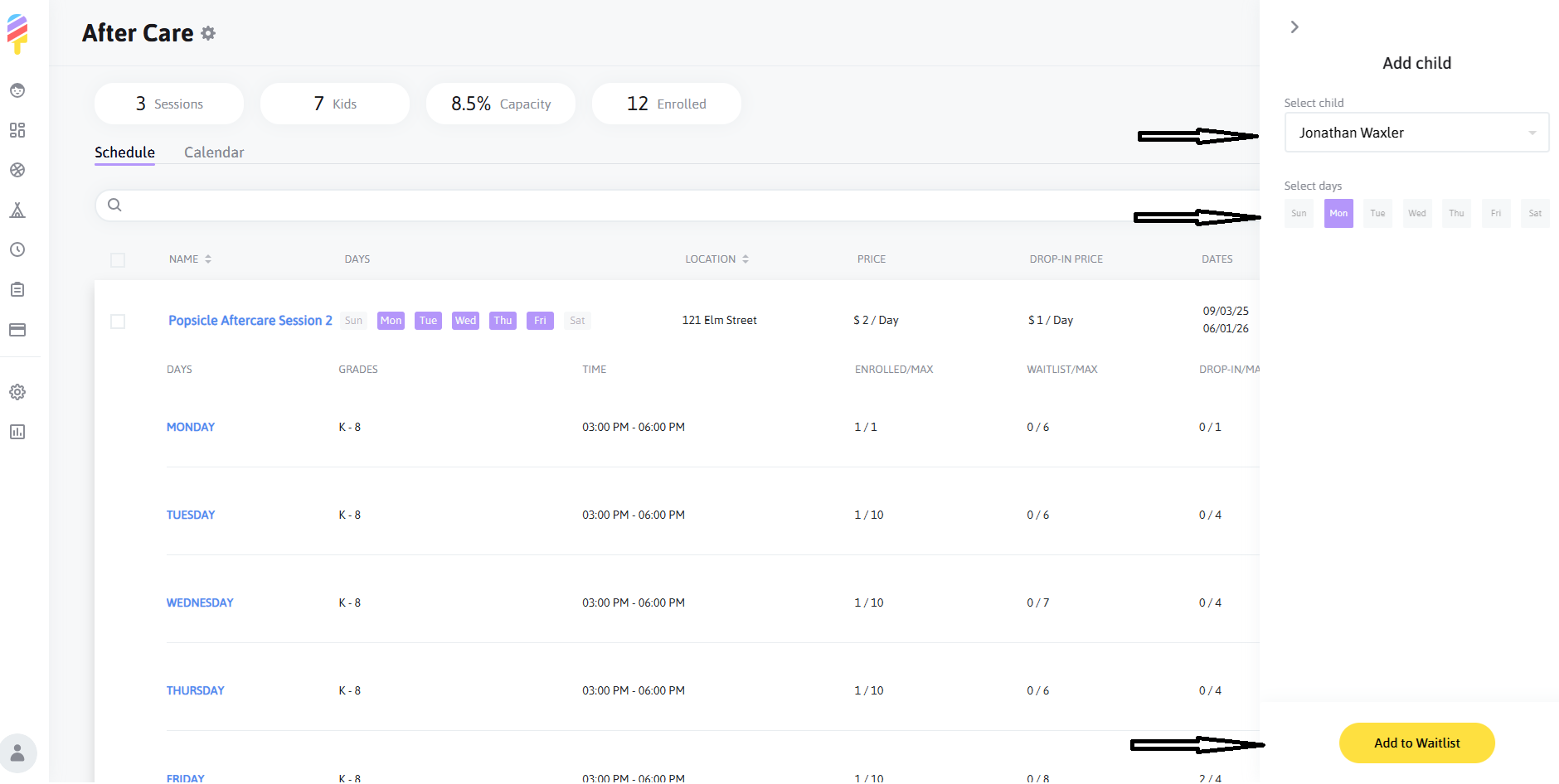
After successfully adding a child to the Waitlist, the following will occur:
- The child will be added to the ‘Waitlist’ roster with a ‘Wait list’ status.
- An email titled ‘You were added to the waitlist on Popsicle’ will be sent to the parent’s email address.